+91 9988 500 936

info@microwavecomputer.com

Mon - Sat: 8:30 am- 6:00 pm

Author name: admin

HTML vs JavaScript:

 HTML vs JavaScript: Which Should You Learn?

HTML and JavaScript are both essential tools for web development, but they serve different purposes and have distinct roles in creating interactive websites. In this article, we will explore the differences between HTML and JavaScript, their strengths, and why learning both is crucial for aspiring web developers. HTML, short for Hypertext Markup Language, is the backbone of web pages. It provides the structure and organisation of content, such as headings, paragraphs, images, and links. HTML uses tags to define elements within a web page. These tags are enclosed in angle brackets (<>) and provide instructions to the web browser on how to display the content. On the other hand, JavaScript is a dynamic programming language that enables interactivity and enhances the functionality of web pages. It allows developers to create interactive elements, manipulate content, and respond to user actions. JavaScript is primarily used for client-side scripting, meaning it runs directly in the web browser and can make changes to the page without needing to communicate with the server. Now that we have a brief overview of HTML and JavaScript, let’s delve deeper into their respective features and benefits. HTML vs JavaScript: Which Should You Learn? HTML: Structure and Content HTML is the foundation of any web page. It provides the structure and content that browsers understand and display. Here are some important characteristics and advantages of HTML: 1. Structure: HTML defines the structure of a web page by using elements like headings, paragraphs, lists, tables, forms, and more. These elements organise the content and provide semantic meaning, making it easier for search engines to understand the page. 2. Accessibility: HTML supports accessibility features that allow web pages to be accessible to users with disabilities. By using proper semantic markup, developers can ensure that screen readers and other assistive technologies can interpret the content accurately. 3. Cross-platform compatibility: HTML is supported by all major web browsers and works consistently across different platforms. This ensures that web pages built with HTML can be accessed by users on various devices and operating systems. 4. SEO-friendly: HTML provides the necessary structure and tags to optimise web pages for search engines. By using proper heading tags, meta descriptions, alt attributes for images, and other SEO techniques, developers can improve the visibility and ranking of their web pages. 5. Easy to learn: HTML has a relatively simple syntax and a limited set of tags. This makes it easy for beginners to grasp the fundamentals and start building web pages quickly. JavaScript: Interactivity and Functionality While HTML provides the structure and content of a web page, JavaScript adds interactivity and enhances the functionality. Let’s explore some key features and benefits of JavaScript: 1. Event handling: JavaScript allows developers to respond to user actions such as clicks, mouse movements, keystrokes, and form submissions. This enables the creation of interactive elements like dropdown menus, sliders, carousels, and more. 2. DOM manipulation: JavaScript can manipulate the Document Object Model (DOM) of a web page. The DOM represents the structure of the HTML document, and JavaScript can dynamically modify its elements, attributes, and styles. This enables real-time updates and changes to the page without requiring a full page reload. 3. Form validation: JavaScript can validate user input on forms before submitting the data to the server. This ensures that users provide correct and properly formatted information, reducing errors and enhancing the user experience. 4. Asynchronous communication: JavaScript enables asynchronous communication with the server using techniques such as AJAX (Asynchronous JavaScript and XML) and the newer Fetch API. This allows web pages to retrieve data from the server and update specific parts of the page without reloading the entire content. 5. Libraries and frameworks: JavaScript has a vast ecosystem of libraries and frameworks that simplify web development tasks. Popular libraries like jQuery, React, and Vue.js provide ready-made components and abstractions, speeding up development and enhancing productivity. Learning HTML and JavaScript Together While HTML and JavaScript have distinct roles in web development, they are interdependent and work together to create rich and interactive web pages. Here are some reasons why learning both is crucial: 1. Seamless integration: HTML and JavaScript seamlessly integrate to create dynamic and interactive web pages. By combining HTML’s structure with JavaScript’s interactivity, developers can build engaging user interfaces and provide a smooth user experience. 2. Full control over web pages: Learning both HTML and JavaScript gives you full control over the appearance and behaviour of your web pages. HTML defines the structure and content, while JavaScript adds interactivity, allowing you to create custom functionalities tailored to your project’s requirements. 3. Career opportunities: Proficiency in both HTML and JavaScript expands your career opportunities as a web developer. Most job postings for web developers require knowledge of both technologies, and having expertise in both will make you a more valuable candidate. 4. Flexibility and versatility: HTML and JavaScript provide flexibility and versatility in web development. They can be used together or independently, depending on the project’s needs. Additionally, once you have a solid foundation in HTML and JavaScript, learning other web development languages and frameworks becomes easier. 5. Enhanced problem-solving skills: Learning HTML and JavaScript together improves your problem-solving skills. Web development often involves troubleshooting and debugging issues that arise in both the structure and interactivity of a web page. Mastering both HTML and JavaScript equips you with a holistic understanding of web development and enables you to solve a wider range of problems. Conclusion In conclusion, both HTML and JavaScript are crucial tools in web development, each with its distinct role. HTML provides the structure and content of web pages, while JavaScript adds interactivity and enhances functionality.  Learning both languages is essential for aspiring web developers as they complement each other and work together to create dynamic and engaging web experiences. By understanding the strengths and capabilities of HTML and JavaScript, you can build robust and interactive web applications that meet the needs of modern users. Ready to get started learning  HTML vs JavaScript: Which Should You Learn?  Register …

 HTML vs JavaScript: Which Should You Learn? Read More »

What is the importance of Microsoft Word?

Importance of Microsoft Word: Uses, Features, Benefits & Examples

What Is the Importance of Microsoft Word? Uses, Features, Benefits & Real-Life Examples What is the importance of Microsoft Word? Microsoft Word is a versatile and powerful word processing software that holds significant importance in various aspects of personal and professional life. It has become the standard tool for creating, editing, and formatting documents of all types, ranging from simple letters to complex reports. In this response, we will explore the importance of MS Word in detail, highlighting its key features and benefits. 1. Document Creation and Editing:  One of the primary purposes of MS Word is to create and edit documents. Whether it’s a personal letter, a professional report, an academic essay, or any other type of document, MS Word provides a user-friendly interface and a comprehensive set of tools for composing, formatting, and organizing content. Users can easily type or paste text, add images, tables, and other objects, and apply formatting options to create visually appealing and well-structured documents. 2. Formatting and Styling: MS Word offers extensive formatting options, allowing users to customize the appearance of their documents. Users can control font styles, sizes, colors, and paragraph alignment to create a consistent and professional look. MS Word also provides features like styles, headers, footers, and page numbering, which help maintain consistency throughout a document or across multiple documents. 3. Templates and Quick Formatting:  MS Word includes a wide range of pre-designed templates for various document types. These templates offer ready-made layouts, styles, and formatting options, saving time and effort in creating documents from scratch. Users can choose a template that suits their needs, customize it as required, and start working on the content right away. Additionally, users can create their own custom templates for repetitive document formats, ensuring consistency and efficiency in document creation. 4. Collaboration and Reviewing: MS Word facilitates collaboration among individuals or teams working on the same document. Multiple users can edit a document simultaneously, making it convenient for real-time collaboration and feedback. MS Word provides features for tracking changes, adding comments, and accepting or rejecting modifications, allowing for a smooth reviewing and revision process. This collaborative functionality is particularly valuable in business environments, academic settings, and group projects. 5. Compatibility and Accessibility: MS Word utilizes a widely accepted file format called .docx, ensuring compatibility and consistency across different devices and platforms. This file format allows documents to be easily shared, opened, and edited by others, regardless of the operating system or word processing software they use. MS Word is available for Windows, macOS, and mobile platforms, making it accessible to a wide range of users. 6. Integration with Other Applications: MS Word seamlessly integrates with other applications in the Microsoft Office suite, such as Excel and PowerPoint. Users can easily copy and paste content between different applications, embed Excel tables or charts in Word documents, or convert Word documents into PowerPoint presentations. This integration enhances productivity and workflow efficiency, as users can leverage the strengths of different applications to create comprehensive and visually appealing documents. 7. Automation and Customization: MS Word provides options for automating repetitive tasks and creating macros to streamline document processing. Users can record and replay macros, which are sequences of commands, to automate specific actions. This automation capability saves time, reduces errors, and enhances efficiency in document creation and editing. Additionally, users can customize MS Word by creating personalized templates, setting up keyboard shortcuts, and configuring the interface to suit their preferences and workflow. 8. Documentation and Archiving:   MS Word serves as a reliable tool for document management and archiving. Users can organise documents into folders or directories, making it easier to locate and retrieve specific files. MS Word allows users to add metadata, such as author names, keywords, and descriptions, to documents, facilitating efficient searching and categorisation. Moreover, MS Word offers features like password protection and encryption to ensure document security and confidentiality. 9. Language Tools: MS Word provides a range of language tools that enhance the quality and accuracy of written documents. It includes a spell-checking feature that automatically identifies and highlights misspelt words, enabling users to make corrections. MS Word also incorporates a grammar-checking feature, which assists in identifying grammatical errors and suggesting improvements. Additionally, it offers an extensive dictionary and thesaurus, making it a valuable resource for expanding vocabulary and finding synonyms. 10. Publishing and Sharing: MS Word allows users to publish and share documents in various formats, including PDF (Portable Document Format). PDFs are widely used for distributing documents while preserving their formatting and layout across different devices and platforms. MS Word also supports exporting documents to HTML, which is useful for publishing web content. Users can also share documents directly from MS Word by sending them as email attachments or saving them to cloud storage services. Conclusion In conclusion, MS Word plays a vital role in document creation, editing, formatting, collaboration, and archiving. Its user-friendly interface, extensive formatting options, compatibility, integration with other applications, and language tools make it an indispensable tool for individuals, students, professionals, and businesses in various industries. MS Word’s features enhance productivity, streamline document processing, and enable efficient collaboration, ultimately contributing to the creation of polished and well-presented documents.     Ready to get started learning What Is the Importance of Microsoft Word? Uses, Features, Benefits & Real-Life Examples? Register for a free demo Get more details regarding Powerpoint Phone no. 9988-500-936 Address SCF 22, First floor, GTB Market, Khanna Website www.microwavecomputer.com Opening Hours 08:30 am – 06:00 pm Best Basic Computer Course in Khanna Dropshipping Course in Khanna with AI Tools at Micro Wave Computer Institute Top 10 Computer Courses After 12th for High Salary Jobs in India (2026) New Geo Algorithm and AI in Digital Marketing Best Computer Training Institute in Khanna for Beginners and College Students 2 Comments s.sanphamso.vnMarch 26, 2026 at 12:22 pm | Edit Your comment is awaiting moderation. different types of testosterone steroids References: s.sanphamso.vn Reply freebookmarkstore.winMarch 25, 2026 at 7:14 am | Edit Your comment is awaiting moderation. winner casino mobile References: …

Importance of Microsoft Word: Uses, Features, Benefits & Examples Read More »

 What is Affiliate marketing and its most significant benefits?

What is Affiliate marketing and its most significant benefits? Affiliate marketing is a popular online marketing strategy where individuals or businesses earn a commission by promoting and selling products or services on behalf of another company. It serves as a win-win situation for both the affiliate marketer and the company, as it allows for increased brand exposure, expanded customer reach, and potential revenue generation. The affiliate marketing process typically involves three key parties: the advertiser (or merchant), the affiliate (or publisher), and the consumer. The advertiser is the company or brand that owns the product or service and wishes to promote it. The affiliate is the marketer who promotes the product or service through various channels. The consumer is the target audience who purchases the product or service through the affiliate’s referral. To get started in affiliate marketing, individuals or businesses can join affiliate programs or networks. These platforms connect advertisers with potential affiliates and provide the necessary tools and resources to track sales, manage commissions, and facilitate payments. Common affiliate networks include Amazon Associates, ClickBank, ShareASale, and Commission Junction. Once enrolled in an affiliate program, affiliates receive unique affiliate links or banners to embed in their marketing materials. These links contain tracking codes that identify the affiliate responsible for referring the customer. Affiliates then promote the products or services through their websites, blogs, social media channels, email marketing, or other online platforms. When a consumer clicks on the affiliate link and completes a purchase, the affiliate receives a commission as compensation. Commissions can be based on various models, such as a percentage of the sale, a fixed amount per sale, or a combination of both. The specific commission structure is typically determined by the advertiser and outlined in the affiliate program terms. Affiliate marketers who achieve success utilise a range of tactics to optimise their earnings. They focus on selecting niche products or services that align with their target audience’s interests and needs. They create compelling content, including product reviews, tutorials, comparison guides, and promotional offers, to engage their audience and drive conversions. Establishing trust and cultivating a loyal audience are essential components for achieving sustained success over time in affiliate marketing. Additionally, affiliates leverage search engine optimisation (SEO) techniques to improve their website’s visibility in search engine results, driving organic traffic to their affiliate links. They may also utilise paid advertising, such as pay-per-click (PPC) campaigns, to generate targeted traffic and increase their chances of earning commissions. While affiliate marketing offers potential opportunities for passive income and flexibility, it requires dedication, strategic planning, and continuous optimisation. Successful affiliates constantly analyse their performance, track conversion rates, and adapt their marketing strategies accordingly. They also stay updated on industry trends, new product launches, and changes in consumer behaviour to capitalise on emerging opportunities. Top 10 benefits of affiliate marketing? Affiliate marketing provides plenty of advantages for both advertisers and affiliates. Here are the top 10 benefits of affiliate marketing: 1. Increased Sales and Revenue: Affiliate marketing can significantly boost sales for advertisers. Businesses can access untapped customer segments and create supplementary streams of revenue through harnessing the influence and expansive reach of affiliates. 2. Cost-Effective Marketing: Affiliate marketing is a performance-based model, meaning advertisers only pay commissions when a desired action, such as a sale or lead, is achieved. This results in a cost-effective marketing strategy with a measurable return on investment. 3. Broadened Audience Reach: Affiliates have their own established audience and online platforms. By partnering with affiliates, advertisers can extend their reach to new markets and demographics they may not have been able to target otherwise. 4. Targeted and Relevant Traffic: Affiliates often specialise in specific niches or industries. This specialisation enables advertisers to access highly targeted and relevant traffic, increasing the likelihood of conversions and customer engagement. 5. Improved SEO and Website Traffic: Affiliate marketing can contribute to better search engine rankings and increased organic website traffic. When affiliates link back to the advertiser’s website, it can enhance SEO efforts and attract more visitors. Your site’s DA will increase if you get backlinks from sites with higher domain authority.DA refers to the search engine ranking score of your website  SERPs which have numbers ranging from 1-100. Find out the Domain Authority of a website using the Website Authority Checker tool from Ahrefs. 6. Enhanced Brand Awareness: Affiliates actively promote products or services, increasing brand visibility and awareness. This exposure helps build brand recognition and credibility among the affiliate’s audience. You can use LSI keywords(long-tail keywords) to increase your content marketing strategy. These LSI keywords describe a product, an image, or some other topic related to the main keyword. 7. Diversified Marketing Channels: Affiliate marketing leverages a wide range of marketing channels, including websites, blogs, social media, email marketing, and more. This diversification allows advertisers to reach customers through various touchpoints, increasing the chances of conversion. 8. Efficient Customer Acquisition: Affiliate marketing facilitates customer acquisition without the need for extensive in-house marketing efforts. Affiliates serve as valuable partners who drive traffic and acquire customers on behalf of the advertiser, saving time and resources. 9. Performance Tracking and Optimization: Affiliate marketing provides valuable data and insights that allow advertisers to track affiliate performance, measure campaign effectiveness, and make data-driven optimizations. This enables continuous improvement and better ROI. 10. Strategic Partnerships and Brand Advocacy:  Building strong relationships with affiliates can lead to long-term partnerships and brand advocacy. Affiliates who genuinely believe in the advertiser’s products or services can become passionate brand ambassadors, driving sustained growth and customer loyalty Conclusion Affiliate marketing presents a mutually beneficial arrangement, where advertisers gain wider exposure and increased sales, while affiliates earn commissions for their promotional efforts. With its cost-effectiveness, performance-driven nature, and ability to leverage diverse marketing channels, affiliate marketing has become an essential strategy for businesses to grow their online presence and generate revenue. Ready to get started learning what Affiliate marketing is and its most significant benefits? Register for a free demo Get more details regarding Powerpoint Phone no. 9988-500-936 Address SCF …

 What is Affiliate marketing and its most significant benefits? Read More »

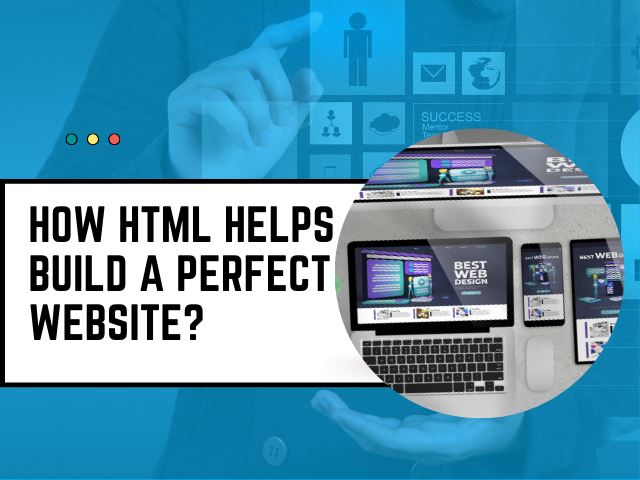
How HTML Helps Build a Perfect Website?

How HTML Helps Build a Perfect Website? In today’s digital age, a website serves as the online face of a business or individual, making it essential to create a perfect website that looks appealing and functions seamlessly. HTML (Hypertext Markup Language) plays a crucial role in achieving this goal. In this comprehensive article, we will explore how HTML helps build a perfect website. We’ll delve into its various aspects, from the basics to advanced techniques, to ensure your website stands out in the vast digital landscape. Table of Contents 1. Introduction to HTML 2. The Foundation of Web Structure     2.1. Understanding HTML Elements     2.2. HTML Document Structure 3. Semantic HTML for Better SEO 4. HTML and Content Organisation     4.1. Headings and Subheadings     4.2. Lists and Paragraphs 5. Styling with CSS 6. Creating Interactive Elements     6.1. Forms for User Interaction     6.2. Embedding Multimedia 7. HTML5 and Modern Web Development 8. Responsive Web Design with HTML 9. SEO Optimisation through HTML     9.1. Meta Tags     9.2. Structured Data 10. Accessibility and HTML     10.1. ARIA Roles and Attributes     10.2. Alt Text for Images 11. HTML Frameworks and Libraries 12. Best Practices in HTML Coding 13. Debugging and Validation 14. Security Considerations 15. Conclusion: The Power of HTML in Web Development 16. FAQS How HTML Helps Build a Perfect Website? 2. The Foundation of Web Structure 2.1. Understanding HTML Elements HTML elements serve as the fundamental components upon which web pages are constructed. Each element serves a specific purpose and is enclosed within tags. For example, the `<head>` element contains meta-information about the page, while the `<body>` element holds the visible content. 2.2. HTML Document Structure An HTML document follows a specific structure. It starts with a `<!DOCTYPE>` declaration, followed by the `<html>`, `<head>`, and `<body>` elements. This structure provides a clear hierarchy for web content. 3. Semantic HTML for Better SEO Semantic HTML is the practice of using HTML elements to convey the meaning of content rather than merely defining its appearance. Search engines favor websites that use semantic HTML because it helps them understand the content’s context and relevance. 4. HTML and Content Organization 4.1. Headings and Subheadings Headings (H1 to H6) are crucial for structuring your content. H1 is the main heading, while H2 to H6 represent subheadings of decreasing importance. Utilizing headings correctly enhances both the readability of content and its SEO performance. 4.2. Lists and Paragraphs HTML provides tags for creating ordered and unordered lists, as well as paragraphs. These elements help organize content and make it more digestible for visitors. 5. Styling with CSS Cascading Style Sheets (CSS) complement HTML by allowing you to control the visual presentation of your website. CSS lets you define fonts, colours, spacing, and layout, enhancing the overall user experience. 6. Creating Interactive Elements 6.1. Forms for User Interaction HTML forms enable user interaction through input fields, buttons, and checkboxes. They are essential for collecting data, such as user feedback or contact information. 6.2. Embedding Multimedia HTML supports the embedding of multimedia elements like images, audio, and videos, making your website more engaging and informative. 7. HTML5 and Modern Web Development HTML5 introduced new features and elements, such as `<canvas>` for graphics and `<video>` for native video playback. These advancements have revolutionised web development. 8. Responsive Web Design with HTML Responsive web design ensures your website looks and functions well on various devices, from desktops to smartphones. HTML plays a significant role in achieving responsive layouts. 9. SEO Optimization through HTML 9.1. Meta Tags Meta tags provide metadata about your web page. The `<meta>` element allows you to specify information like the page title and description, which are essential for SEO 9.2. Structured Data Structured data markup, often in the form of Schema.org, helps search engines understand the content’s context, leading to richer search results. 10. Accessibility and HTML 10.1. ARIA Roles and Attributes Accessible Rich Internet Applications (ARIA) roles and attributes enhance the accessibility of web content for individuals with disabilities. 10.2. Alt Text for Images Including descriptive alt text for images ensures that visually impaired users can understand the content through screen readers. 11. HTML Frameworks and Libraries HTML frameworks and libraries like Bootstrap and jQuery simplify web development by providing pre-built components and scripts. 12. Best Practices in HTML Coding Following best practices in HTML coding ensures clean, maintainable, and error-free code. Proper indentation, comments, and code organization are essential. 13. Debugging and Validation Debugging tools and HTML validation services help identify and fix issues in your code, ensuring a smooth browsing experience for users.   14. Security Considerations Implementing security measures, such as input validation and protection against cross-site scripting (XSS) attacks, is crucial to protect your website and user data. 15. Conclusion: The Power of HTML in Web Development In conclusion, HTML is the cornerstone of web development, offering the structure and foundation necessary for creating a perfect website. Its role in organising content, enhancing SEO, enabling interactivity, and ensuring accessibility cannot be overstated. By mastering HTML and its best practices, you can build websites that captivate and engage users. Get more details regarding Powerpoint Phone no. 9988-500-936 Address SCF 22, First floor, GTB Market, Khanna Website www.microwavecomputer.com Opening Hours 08:30 am – 06:00 pm What are the benefits of learning coding?   Top 10 advantages of MySQL   HTML vs JavaScript: Which Should You Learn? What is the importance of Microsoft Word?  What is Affiliate marketing and its most significant benefits? Leave a Reply Cancel Reply Logged in as admin. Edit your profile. Log out? Required fields are marked * Message* FAQ If you want to get the answer of any specific question, please feel free to contact us (1): What are the built-in data structures in Java? Answer- Yes, HTML remains crucial in modern web development. It forms the basis for structuring web content and is essential for creating accessible, SEO-friendly, and responsive websites. Q2: How can I learn HTML? Answer- You can start learning HTML through online tutorials, courses, and interactive coding platforms. Mastering it requires dedicated …

How HTML Helps Build a Perfect Website? Read More »

Scroll to Top