+91 9988 500 936

info@microwavecomputer.com

Mon - Sat: 8:30 am- 6:00 pm

Design & Illustration

7 Practical AI Skills Students Should Learn in 2026

7 Practical AI Skills Students Should Learn in 2026

7 Practical AI Skills Students Should Learn in 2026 Artificial Intelligence (AI) is changing how students learn, create, and prepare for future careers. Today, AI tools can help with research, content creation, graphic design, and many other digital tasks. However, students need practical skills to use these tools effectively. In 2026, learning AI skills can help students improve productivity, develop creativity, and explore new career opportunities. Moreover, combining AI knowledge with problem-solving and communication skills can prepare students for a technology-driven world. Here are seven practical AI skills every student should consider learning in 2026. 1. AI Prompt Writing Prompt writing means giving clear instructions to AI tools to get useful results. For novices, it is one of the most crucial abilities. For example, students can ask AI to explain difficult topics, create study plans, or generate quiz questions. Furthermore, adding clear instructions and relevant details can improve the quality of responses. Benefit: Students can save time and improve their learning experience. 2. AI-Powered Content Creation Content creation is useful for blogging, social media, marketing, and educational projects. AI tools can help students generate ideas, write outlines, improve grammar, and prepare video scripts. For instance, students can create a blog outline or plan social media posts for a project. However, they should always check facts, edit the content, and add their own ideas. As a result, students can improve their writing and communication skills while learning to use AI responsibly. Benefit: This skill supports blogging, digital marketing, and creative projects. 3. AI Research and Learning AI-powered research tools can help students understand complex topics and organise information. They can also generate practice questions, summarise notes, and explain concepts in simple language. Moreover, students can use these tools to prepare revision materials and identify topics that need more practice. However, AI sometimes provides incorrect information. Therefore, students should verify important facts using reliable educational resources. Benefit: AI-assisted research supports independent learning and exam preparation. 4. AI Image Generation and Graphic Design Visual content plays an important role in digital marketing and online communication. AI image tools help students explore creative ideas and develop posters, illustrations, and social media graphics. For example, students can design a college event poster or create visuals for a marketing assignment. In addition, learning colour combinations, typography, and layout principles can make their designs more professional. Students should also check image usage rights before publishing their work. Benefit: These skills can support graphic design, advertising, and content creation. 5. AI Video Creation and Editing Video content is popular on YouTube, Instagram, and educational platforms. Therefore, AI-assisted video creation is a useful skill for students interested in digital media. AI tools can help with script ideas, voiceovers, captions, and editing tasks. Students can practise by creating short educational videos or promotional clips. However, good videos still need clear storytelling, suitable visuals, and quality sound. By completing practical projects, students can build a portfolio that showcases their abilities. Benefit: Video skills can support content production, freelancing, and digital marketing. 6. AI-Powered Data Analysis Data analysis helps students understand information and identify useful patterns. AI tools can assist with spreadsheet formulas, survey results, charts, and basic data summaries. For example, students can analyse survey responses or organise project data in Excel. Furthermore, learning spreadsheet skills alongside AI tools helps students understand how results are calculated. Always check the data and calculations before making decisions. Benefit: Data analysis is useful in business, research, marketing, and administration. 7. AI Automation and Productivity AI automation helps simplify repetitive tasks. Students can explore tools that organise information, create templates, manage reminders, and connect digital workflows. For instance, they can prepare reusable study templates or organise tasks for a group project. As a result, they may spend less time on routine work and more time on creative activities. However, students should review automated results and protect personal information when using online tools. Benefit: Automation skills can improve productivity and introduce students to modern digital workflows. How Can Students Start Learning AI Skills? Students do not need to master every AI skill at once. Instead, they can follow a simple learning plan: Start small: Learn prompt writing and basic AI tools first. Practise regularly: Create articles, posters, or short videos. Build projects: Apply AI skills to real-world tasks. Check results: Verify facts and improve the final output. Create a portfolio: Save your best projects to demonstrate your skills. Most importantly, combine AI knowledge with creativity, critical thinking, and practical experience. Frequently Asked Questions 1. Which AI skills should students learn first? Students can begin with prompt writing, AI research, and content creation because these skills are useful for many everyday tasks. 2. Do students need coding knowledge to learn AI? No. Many AI tools work without coding. However, programming can help students explore more advanced applications later. 3. Can AI skills help students with freelancing? Yes. Content creation, graphic design, video editing, and data analysis can support freelance projects. However, students also need practice and a strong portfolio. 4. Can novices use free AI tools?Yes. Many free tools offer useful features for learning and practice. Students can explore paid options when they need additional features. 5. How can students improve their AI skills? Students should practise regularly, complete real projects, check their results, and learn from mistakes. Conclusion Learning practical AI skills in 2026 can help students strengthen their digital knowledge and prepare for new opportunities. From prompt writing and content creation to video editing, data analysis, and automation, each skill offers valuable learning experiences. Ultimately, consistent practice makes the difference. Start with one skill, complete a project, and gradually explore more advanced tools. By combining AI knowledge with human creativity and critical thinking, students can build a stronger foundation for their future careers. Ready to get started learning at the Web Designing Course in Khanna? Register for a Free Demo. Get more details regarding Powerpoint Phone no. 9988-500-936 Address SCF 22, First floor, GTB Market, Khanna Website www.microwavecomputer.com Opening Hours 08:30 am – 06:00 pm …

7 Practical AI Skills Students Should Learn in 2026 Read More »

Navratri Special Offer

Navratri Special Offer

Navratri Special Offer at Micro Wave Computer Institute – Get 15% Off on Courses Navratri is a festival of positivity, new beginnings, and personal growth.Additionally, it’s a great time to invest in yourself, discover new hobbies, and acquire future-ready abilities. This festive season, make your learning journey more exciting with the Navratri Special Offer at Micro Wave Computer Institute! Enjoy 15% OFF on eligible one-month courses and discover the digital skills that can help you learn, create, and grow. Whether you are interested in Artificial Intelligence (AI), video editing, Advance basic computer course with AI, or social media content creation, this is your opportunity to explore modern technology and strengthen your creative abilities. In today’s digital world, practical skills are becoming increasingly valuable. Learning how to use AI tools, create engaging videos, design attractive graphics, and promote content online can help you explore different educational and professional opportunities. Why wait for the perfect moment? Make this Navratri a fresh start for your skills! Explore Our Courses and Upgrade Your Skills 1. Artificial Intelligence (AI) Course Artificial Intelligence is transforming how people create content, solve problems, and complete everyday tasks. From generating images to assisting with writing and brainstorming, AI tools offer exciting possibilities for learners. Our AI course introduces students to practical AI applications and modern digital workflows. Explore AI tools, prompt writing, AI-powered content creation, image generation, and techniques for using AI more effectively. Learning about AI can help you understand emerging technologies and discover new ways to approach creative and educational projects. Ideal for: Students, beginners, content creators, and professionals interested in artificial intelligence. 2. Video Editing Course Video content has become an important part of YouTube, Instagram Reels, online advertising, and digital communication. A well-edited video can present information clearly, capture attention, and communicate a message more effectively. A video editing course helps you explore the creative process of transforming raw footage into engaging content. Learn about transitions, effects, audio editing, clip arrangement, and visual storytelling. These skills can be useful for personal projects, social media content, promotional videos, and exploring creative career opportunities. Ideal for: Aspiring video editors, YouTubers, freelancers, and social media creators. 3. Advanced Basic Computer Course with AI Computer skills are essential for education, office work, and everyday digital tasks. By combining basic computer training with AI tools, learners can develop essential computer knowledge while exploring modern technology. Learn important concepts such as computer fundamentals, typing, file management, MS Word, MS Excel, PowerPoint presentations, internet browsing, and AI-assisted tasks. These skills can help learners work more confidently with computers and understand how AI tools support everyday activities. Building a strong foundation in computer skills can help students prepare for academic tasks, office responsibilities, and future learning opportunities. Ideal for: Students, beginners, job seekers, and anyone who wants to improve their computer skills with AI. 4. Canva Plus Reel Editing Do you enjoy creating attractive designs or engaging short videos? Canva and reel-editing tools can help turn creative ideas into visually appealing social media content. Learn about graphic design layouts, typography, colour combinations, templates, transitions, and short-form video editing. Understanding these fundamentals can help you create more organised and engaging posts for different digital platforms. These skills are especially useful for people interested in content creation, social media management, and promoting small businesses online. Ideal for: Beginners, freelancers, small business owners, and aspiring content creators. Get 15% OFF This Navratri! Celebrate the festive season by investing in your knowledge and creativity. With our Navratri Special Offer, eligible one-month courses are available with a 15% discount. This is an opportunity to explore a new subject, strengthen your existing knowledge, and take a positive step towards personal development. What Makes This Offer Worth Exploring? Learn modern skills: Discover AI tools and useful digital applications. Develop creativity: Explore video editing, graphic design, and reel creation. Gain an understanding of online promotion by learning the principles of digital marketing and SEO. Build confidence: Practise new techniques and become more comfortable with digital tools. Explore new possibilities: Discover learning pathways that match your interests and future goals. Before enrolling, confirm course eligibility, applicable fees, available batches, and the offer’s validity period. Why Learn Modern Digital Skills? Digital skills are useful across many areas of education, business, and creative work. Students can use technology to support projects, content creators can explore new editing techniques, and aspiring marketers can learn how online promotion works. Learning also encourages problem-solving, creativity, and continuous improvement. Instead of trying to master everything at once, begin with one subject that interests you and gradually expand your knowledge. The right course should match your current abilities, learning preferences, and future goals. Practical learning and regular practice can help you understand concepts more clearly and apply them to real-world tasks. Frequently Asked Questions 1. What is the Navratri Special Offer? It is a festive promotion offering 15% OFF on eligible one-month courses, subject to the institute’s terms and offer validity. 2. Which courses can I explore under this offer? You can enquire about Artificial Intelligence, Video Editing, Advanced Basic computer course with AI, and Canva Plus Reel Editing. Confirm which courses qualify for the discount. 3. Are these courses suitable for beginners? Beginners can explore suitable learning options based on their interests and existing knowledge. Course requirements may vary depending on the subject and level. 4. Do I need previous experience with AI or video editing? Previous experience may not be necessary for introductory courses. Ask about the recommended starting level before selecting a course. 5. How can I confirm the 15% discount? Confirm the eligible courses, applicable fees, discount conditions, and offer validity before enrolling. 6. How can I choose the right course? Choose AI if you want to explore intelligent tools, video editing if you enjoy creating videos, Advanced Basic Computer with AI if you want to learn computer fundamentals, typing, MS Word, Excel, PowerPoint, and AI tools, or Canva Plus Reel Editing if you enjoy designing social media content. 7. Can learning digital skills …

Navratri Special Offer Read More »

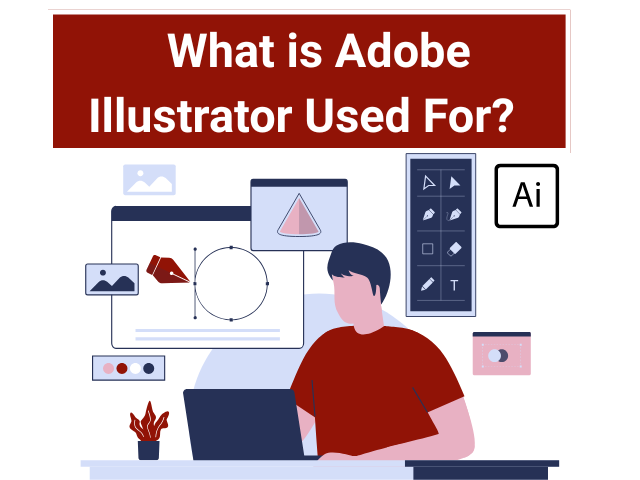
What is Adobe Illustrator Used For?

 What is Adobe Illustrator Used For?  

What is Adobe Illustrator Used For? Adobe Illustrator is a versatile software application used by professionals in various industries for various purposes. With its powerful tools and features, Illustrator enables users to create and edit vector graphics, making it an indispensable tool for graphic designers, illustrators, artists, and other visual content creators. In this article, we will explore the extensive capabilities of Adobe Illustrator and discuss its primary uses in detail. 1. Graphic Design and Branding: Adobe Illustrator is widely used in the field of graphic design for creating visually appealing and professional-quality designs. Designers use Illustrator to create logos, icons, and brand identities. The vector-based nature of Illustrator ensures that these graphics can be scaled to any size without losing quality, making them suitable for use across different media platforms, from print to web and beyond. The precise control over anchor points and drawing tools in Illustrator allows designers to create complex shapes, curves, and paths, enabling the creation of unique and customised designs. 2. Illustration and Artwork: Illustrators and artists utilise Adobe Illustrator as a primary tool for creating digital illustrations and artwork. The software provides a wide range of drawing tools, including the Pen tool, Pencil tool, and Shape tools, which allow for the creation of intricate and detailed illustrations. The ability to manipulate anchor points and handles with precision gives artists full control over the shapes and curves in their artwork. Illustrators often combine Illustrator with other software, such as Adobe Photoshop, to add colour, texture, and effects to their illustrations. 3. Typography and Typesetting: Typography plays a crucial role in design, and Adobe Illustrator offers extensive features and tools for creating and manipulating text. Designers can choose from a vast library of fonts and apply various text effects to create visually appealing typography. The Character and Paragraph panels provide control over typography settings, such as learning, leading, tracking, and hyphenation, allowing designers to fine-tune the appearance of text. Illustrator’s ability to convert text into outlines also enables designers to create custom lettering and typographic artwork. 4. Print Design: Adobe Illustrator is a popular choice for print design projects due to its vector-based approach and compatibility with professional printing processes. Designers can create print-ready files in Illustrator by setting up the document with the correct colour modes (CMYK or spot colours), specifying the appropriate bleed and trim marks, and ensuring the resolution is suitable for high-quality printing. The software also offers features like Pantone colour support and separations preview, which are essential for accurate colour reproduction in print. 5. Web and Mobile Design: While Adobe Photoshop and other software are commonly used for web and mobile design, Adobe Illustrator also plays a significant role in this field. Illustrator allows designers to create web graphics, user interface elements, and icons that can be scaled and optimised for different screen sizes and resolutions. The SVG (Scalable Vector Graphics) format, supported by Illustrator, is widely used for web-based graphics due to its scalability and small file size. Additionally, Illustrator’s integration with Adobe XD, a prototyping and design tool, enables a seamless transition from design to interactive prototypes. 6. Infographic Design: Infographics are visual representations of data and information, and Adobe Illustrator is an excellent tool for creating visually compelling and informative infographics. Designers can use Illustrator’s drawing tools, charts, graphs, and typography features to illustrate complex information clearly and engagingly. The vector format allows for easy resizing of infographics without compromising their quality, making them suitable for use in various media, such as print, websites, and presentations. 7. Packaging Design: Packaging designers rely on Adobe Illustrator to create 2D and 3D mock-ups of product packaging. Illustrator’s precise drawing tools and the ability to create complex shapes and paths are essential for designing intricate packaging structures. The software allows designers to apply artwork, logos, and typography to the packaging design and visualise how it will look in its final form. The vector-based nature of Illustrator ensures that the designs can be easily modified and adapted to different packaging sizes and materials. 8. Fashion Design: Adobe Illustrator is a valuable tool in the fashion industry, used by fashion designers for creating technical drawings, garment patterns, and textile designs. The software’s vector capabilities allow designers to create accurate and scalable representations of clothing designs, including stitching, patterns, and colour variations. Designers can also experiment with different colourways and fabric swatches within Illustrator, enabling them to visualise and refine their design concepts before bringing them to life. 9. Motion Graphics and Animation: While Adobe After Effects is the primary software for motion graphics and animation, Adobe Illustrator plays a supporting role in creating vector-based assets. Designers can create illustrations, icons, and graphics in Illustrator and then import them into After Effects for animation and motion effects. The ability to create scalable vector assets in Illustrator ensures that the graphics retain their quality and sharpness, even when animated or resized for different screen resolutions. 10. Conceptual Design and Prototyping: Adobe Illustrator serves as an essential tool for conceptualising ideas and creating prototypes in various industries, such as product design, architecture, and industrial design. Designers can use Illustrator to create sketches, wireframes, and concept drawings, allowing them to visualise and refine their ideas before moving on to more detailed design stages. The vector-based nature of Illustrator makes it easy to iterate and modify designs during the conceptualisation and prototyping phases. 11. Digital and Social Media Graphics: Adobe Illustrator is widely used for creating graphics and assets for digital and social media platforms. Designers can create visually striking social media posts, banners, ads, and cover images using Illustrator’s drawing tools, typography features, and customizable templates. The vector graphics created in Illustrator can be easily exported in various web-friendly formats, ensuring optimal quality and performance on digital platforms. 12. Scientific and Technical Illustration: Scientists, researchers, and technical writers often rely on Adobe Illustrator to create precise and informative illustrations for scientific papers, textbooks, and technical documentation. Illustrator’s drawing tools, precision controls, and vector format make it …

 What is Adobe Illustrator Used For?   Read More »

Scroll to Top